Trade Smarter.
Start for Free.
Practice daily trading with real market data — zero real money at risk. Build your edge, track P&L, and let AI guide every move.
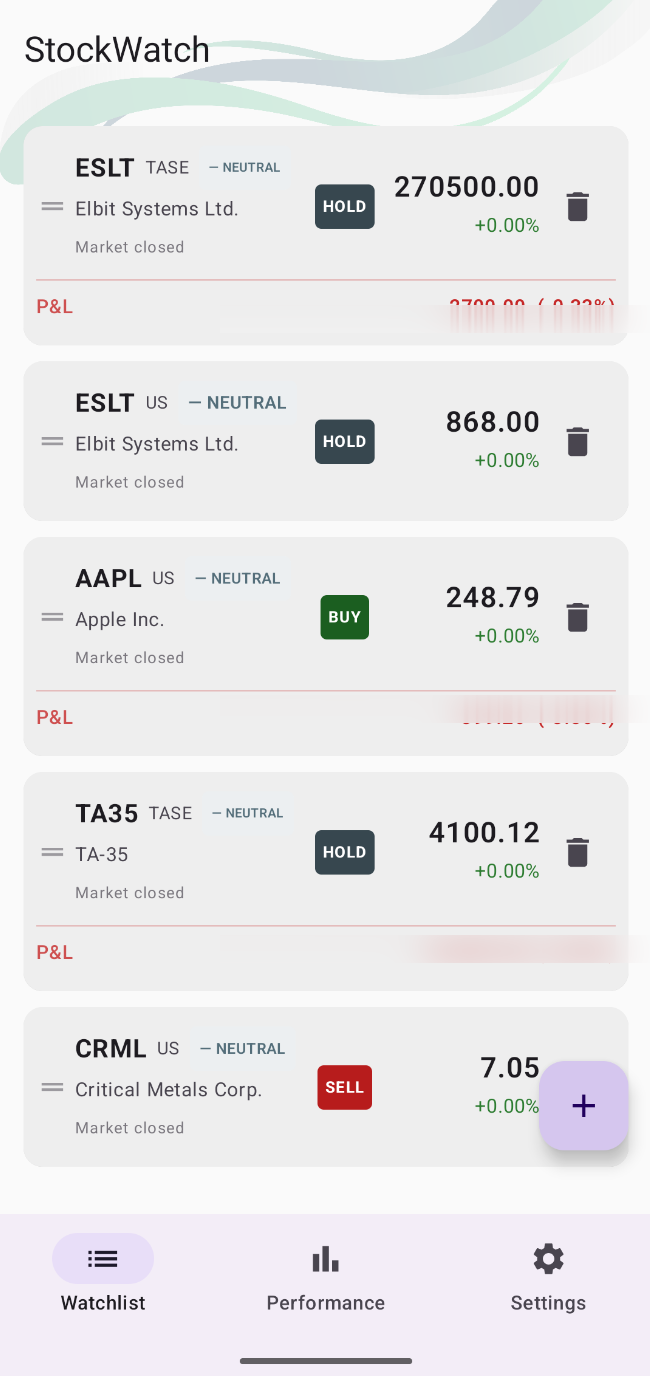

Simple by design
How It Works
Three steps from setup to your first simulated trade.
Add stocks by symbol
Search by ticker symbol (e.g. AAPL, TSLA, TEVA). Live US and TASE prices update every 30 seconds during market hours.
Go IN / OUT of positions
Simulate entering and exiting positions with one tap. Track your average buy price and real-time unrealized P&L.
Track your performance
Review your full trade history, cumulative returns, and daily reports. See what's working and what isn't.
Everything you need
Built different.
Professional-grade tools. Zero real-money risk.
Live Market Data
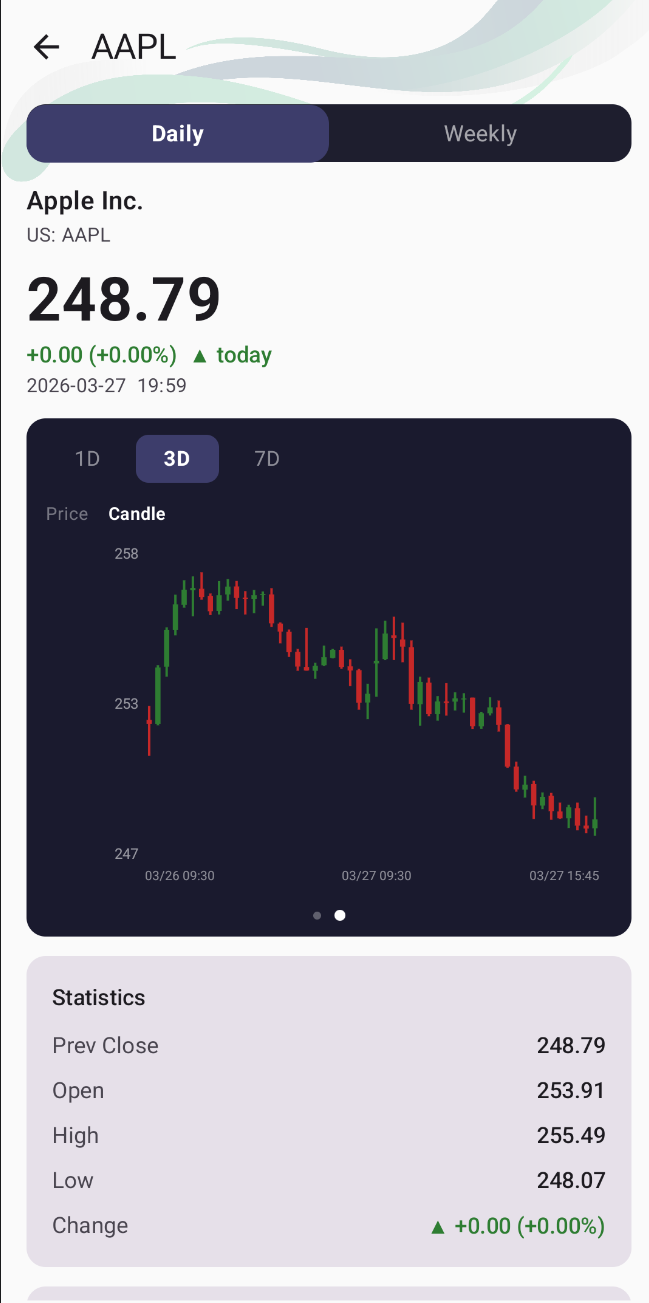
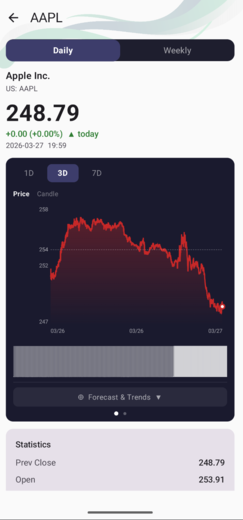
Real-time prices from US markets (NYSE, NASDAQ) and TASE. Price line and candlestick charts with 1D / 3D / 7D views.
AI Trader
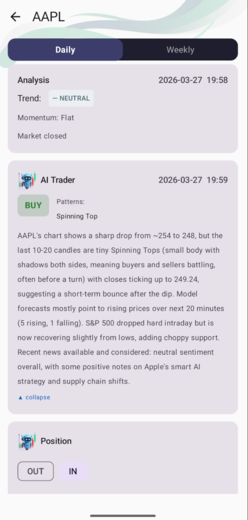
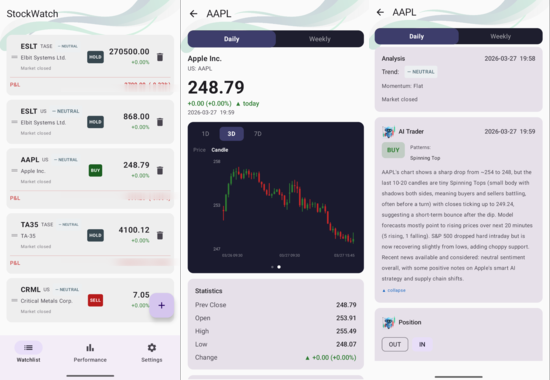
AI analyses each stock every session and delivers a clear ENTER / HOLD / EXIT recommendation with full reasoning.
Price Forecasting
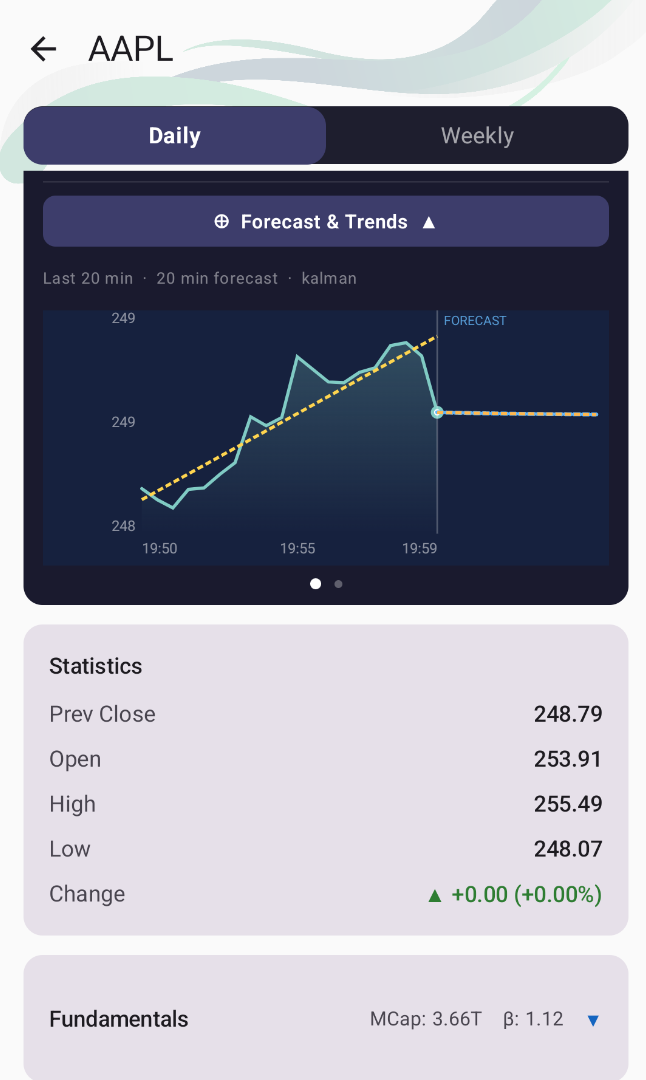
ML models predict intraday and weekly price direction — giving you an edge before you make a move.
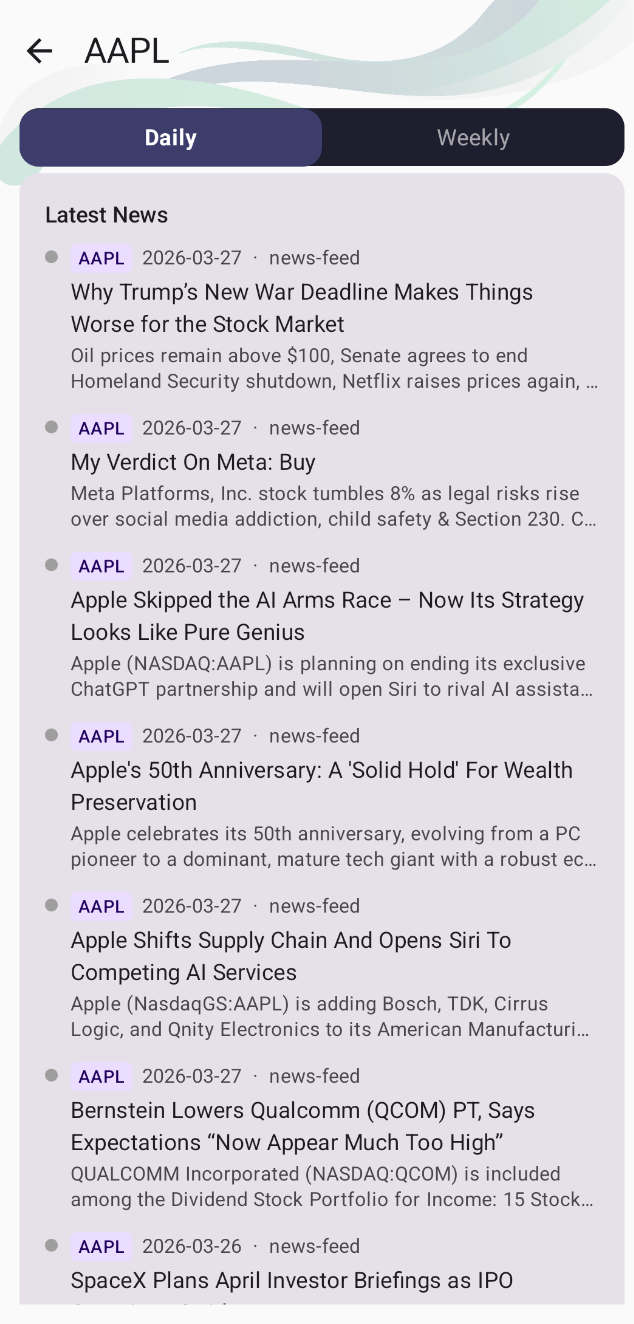
News & Sentiment
AI scores real-time news sentiment for each stock, giving context behind every recommendation.
Price Alerts
Set a target price on any stock and get pushed the moment it hits — no need to keep watching the screen.
Market Movers
Live surge detection flags the biggest intraday moves across your watchlist the moment they happen.
Smart Risk Management
AI suggests ADD / REDUCE — not just buy or sell. Scale positions in lots and track peak profit & drawdown.
Leaderboard & Medals
Compete on real simulated returns. Climb the ranks, earn medals, and see how you stack up.
Your AI trading
co-pilot
Our AI analyses hundreds of signals every session — machine learning models, real-time news sentiment, technical chart patterns, and market momentum — then delivers a clear ENTER / HOLD / EXIT recommendation.
- 35+ candlestick patterns recognised
- Real-time news sentiment per stock
- ML price forecast integration
- Updated automatically every session
See it in action
Real app. Real data.
Every screen you see is live from the StockWatch app.
Simple pricing
Start free.
No excuses.
Full access from day one — no credit card required.
Free Trial
for 14 full days
- Full access for 14 days
- Live US & TASE market prices
- AI Trader recommendations
- Price forecasting & alerts
- Position tracking & P&L
- Available in 6 languages
- No credit card required
Pro
launch offer — 44% off regular price*
- Everything in Free Trial
- Continued access after 14 days
- Priority AI signal updates
- Market movers & price alerts
- Full trade history & reports
- Leaderboard, medals & weekly analysis
- Cancel anytime
* Launch pricing — regular price $18/month after release period ends.
Questions
Frequently asked
Everything you need to know before you start.
Is StockWatch real-money trading?
No. StockWatch is a trading simulator (paper trading). You practice with real-time market data but never risk real money. It is for education and practice only and is not financial advice.
How do I start practicing stock trading with StockWatch?
Install the free app (Android APK or web app), create an account, add stocks by ticker symbol (e.g. AAPL, TSLA, TEVA), then simulate entering and exiting positions with one tap while tracking your profit and loss.
Does StockWatch support Israeli (TASE) stocks?
Yes. StockWatch covers both US markets (NYSE, NASDAQ) and the Tel Aviv Stock Exchange (TASE), with prices shown in the correct native currency for each market.
What does the AI Trader do?
The AI Trader analyses each stock every session using machine-learning forecasts, real-time news sentiment, candlestick patterns, and market momentum, then gives a clear ENTER, HOLD, EXIT, ADD, or REDUCE recommendation with full reasoning.
Is StockWatch free?
Yes — there is a 14-day free trial with full access and no credit card required. After the trial, Pro is $10/month at launch pricing.
What devices does StockWatch run on?
Android 8.0 (API 26) and higher via direct APK, plus a web app that works on iPhone, iPad, laptop, and desktop with no install needed.
What languages does StockWatch support?
Six languages: English, Hebrew, Spanish, French, German, and Arabic, including right-to-left layout for Hebrew and Arabic.
Can I get price alerts?
Yes. Set a target price on any stock and StockWatch pushes a notification the moment it is hit. Live market-mover detection also flags large intraday moves on your watchlist.
How do I set notification alerts on iOS (iPhone / iPad)?
On iPhone or iPad, use the StockWatch web app. Open swwebapp.infermal.com in Safari, tap the Share icon, choose "Add to Home Screen", then open StockWatch from the new home-screen icon and tap Allow when it asks to send notifications. This requires iOS 16.4 or later — Apple only permits push notifications for web apps added to the Home Screen. Then open Settings inside StockWatch and turn on "Push notifications". Once enabled, tap the bell icon on any stock to set a target price and get alerted when it is hit.
Install StockWatch
Direct APK install — no Play Store. Under a minute to get started.
Tap the download button
Tap "Download APK" above. Your browser will download the StockWatch.apk file to your phone.
Allow install from this source
Android will ask to Allow installs from this source — tap Allow. This is normal: the app is distributed directly, not via Play Store.
Open the app & create account
Once installed, open StockWatch, create your account, add your first stocks, and you're ready to practise.
Requires Android 8.0 (API 26) or higher
iPhone, iPad, laptop & desktop — no install needed